
AFFILIATE DISCLOSURE
As an Amazon Associate I earn from qualifying purchases. This article contains affiliate links.
Read our full disclosure.
Smarter Security Starts at Your Front Door
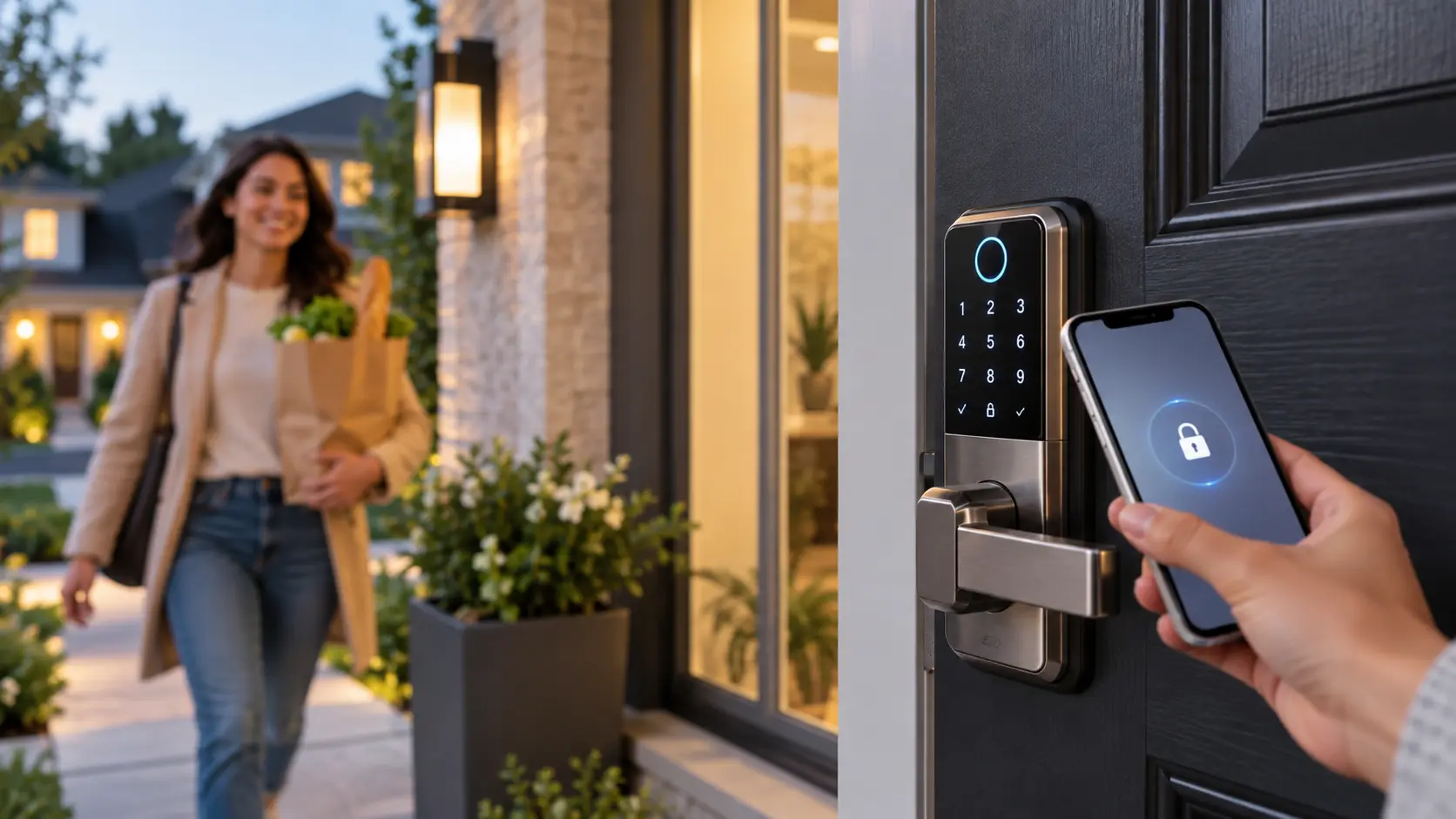
Let’s be honest—fumbling for keys while your arms are full of groceries, or worrying whether you actually locked the door after leaving for work, is so 2019. In 2026, smart door locks have become the unsung heroes of modern home security, blending rock-solid protection with everyday convenience. Whether you’re letting in a dog walker, tracking when the kids get home from school, or just unlocking your front door with a tap of your iPhone, today’s smart locks do way more than just “lock and unlock.”
This year has been a big one for smart lock tech. We’re seeing ANSI Grade 1 security ratings (the highest residential tier), seamless Matter-over-Thread and Z-Wave support, lightning-fast fingerprint scanners, and locks that disappear completely into your door for a clean, minimalist look. In other words, 2026’s smart locks are smarter, tougher, and easier to live with than ever before.
In this guide, we’ve ranked the 7 best smart door locks of 2026 after diving into hands-on testing, expert reviews, security certifications, smart-home compatibility, battery life, and real-world performance. If you just want the quick answer: the Schlage Encode Plus takes the #1 spot for its top-tier security and Apple Home Key support, while renters and budget shoppers will love the August Wi-Fi Smart Lock (4th Gen) and the ultra-affordable Wyze Lock Pro. Let’s find the perfect lock for your home.
Quick-Answer Summary Table (Top 7 at a Glance)
If you’re in a hurry (or just love a good cheat sheet), here’s the full lineup of the 7 best smart door locks for 2026—ranked, compared, and ready to shop. Each pick is based on real-world testing, security ratings, smart-home fit, and overall value.
| Rank | Smart Lock | Best For | Key Features | Approx. Price |
|---|---|---|---|---|
| 1 | Schlage Encode Plus | Overall Best Security & Apple Users |
• ANSI Grade 1 security • Apple Home Key tap-to-unlock • Built-in Wi-Fi, no hub |
$319 |
| 2 | Yale Assure Lock 2 | Multi-Ecosystem Smart Homes |
• Matter-over-Thread + Z-Wave + Wi-Fi • Silent motor • 12-month battery life |
$159–$299 |
| 3 | August Wi-Fi Smart Lock (4th Gen) | Renters & Easy Install |
• 10-min retrofit install • DoorSense open/closed alerts • Works with HomeKit, Alexa, Google |
$199 |
| 4 | Ultraloq U-Bolt Pro | Fingerprint & Guest Access |
• 8-in-1 entry (fingerprint, code, app, key) • IP65 waterproof • Built-in Wi-Fi |
$130 |
| 5 | Level Lock+ | Invisible Design & Aesthetics |
• Hardware hides inside door • Matter-over-Thread + Apple Home Key • Premium build |
$180–$295 |
| 6 | Wyze Palm Lock | Budget Buyers |
• AI-learning fingerprint • 8-month battery life • Under $100 |
$79 |
| 7 | Nest x Yale | Google Home Users |
• Keyless design (no keyhole) • Google Assistant voice control • Tamper alerts & PIN scheduling |
$279 |
Prices and availability can shift, so it’s always a good idea to check the latest deals on Amazon or the manufacturer’s site before you buy.
Detailed Reviews of the 7 Best Smart Door Locks
AFFILIATE DISCLOSURE
As an Amazon Associate I earn from qualifying purchases. This article contains affiliate links.
Read our full disclosure.
1. Best Overall Smart Lock: Schlage Encode Plus

If you want the absolute best mix of security, convenience, and smart-home polish in 2026, the Schlage Encode Plus is hard to beat. It’s the only mainstream smart lock with an ANSI Grade 1 security rating—the highest residential tier—meaning it can withstand 250,000+ lock cycles and up to 150 lbs of force. On top of that, it supports Apple Home Key for tap-to-unlock with your iPhone or Apple Watch, has built-in Wi-Fi (no hub or bridge needed), and works seamlessly with Alexa and Google Home. Even if your Wi-Fi goes down, the physical keypad and included key still work.
Best for: Homeowners who prioritize top-tier security and Apple ecosystem users who want a no-subscription, hub-free experience.
Pros:
- ANSI Grade 1 security (highest residential rating)
- Apple Home Key NFC tap-to-unlock
- Built-in Wi-Fi—no hub or bridge required
- Works offline via keypad or physical key
- No monthly fees
Cons:
- No fingerprint reader
- Highest price in this list ($319)
Ideal use case: Perfect for families who want maximum security and love the idea of tapping their iPhone or Apple Watch to unlock the front door—no fumbling for keys or remembering codes.
2. Best for Multi-Ecosystem Homes: Yale Assure Lock 2

The Yale Assure Lock 2 earns the #2 spot because it’s the most future-proof lock on the market. It natively supports Matter-over-Thread, Z-Wave, and Wi-Fi in a single unit, so it plays nicely with Apple Home, Google Home, Alexa, SmartThings, and more. It also features a silent motor (no loud clunk when locking), a 12+ month battery life on AA cells, and a modular connectivity module you can swap as smart-home standards evolve. While it’s ANSI Grade 2 (not quite as tough as the Schlage Encode Plus), its ecosystem flexibility makes it ideal for complex smart homes.
Best for: Users with multiple smart-home platforms (Apple Home, Google Home, Alexa, SmartThings) who want future-proof connectivity.
Pros:
- Matter-over-Thread + Z-Wave + Wi-Fi in one lock
- Silent motor operation
- 12-month battery life
- Modular, swappable connectivity module
- Up to 250 user codes
Cons:
- ANSI Grade 2 (less secure than Schlage Encode Plus)
- Z-Wave and Matter modules add cost beyond base Wi-Fi model
Ideal use case: Great for tech-savvy households that use a mix of Apple, Google, and Alexa devices and want a lock that won’t become obsolete as smart-home standards change.
3. Best for Renters: August Wi-Fi Smart Lock (4th Gen)

The August Wi-Fi Smart Lock (4th Gen) is the go-to pick for renters, apartment dwellers, or anyone who can’t (or doesn’t want to) modify their door. It installs in under 10 minutes by retrofitting over your existing deadbolt thumbturn—no drilling, no exterior changes, and you keep your original key. It includes DoorSense, which tells you whether the door is actually closed or just locked, and has built-in Wi-Fi so you don’t need a separate bridge. It also works with HomeKit, Alexa, and Google Home.
Best for: Renters, apartments, condos where door modification isn’t allowed.
Pros:
- 10-minute retrofit install—no drilling or exterior changes
- DoorSense open/closed status detection
- Built-in Wi-Fi—no bridge needed
- Compatible with HomeKit, Alexa, Google Home
- Keeps existing key functionality
Cons:
- No exterior keypad (guests need app or physical key)
- Shorter battery life (3–4 months on CR123A cells)
- Security depends on existing deadbolt quality
Ideal use case: Ideal for renters who want smart features without losing their security deposit—or anyone who wants to upgrade their lock in minutes without tools.
4. Best for Fingerprint & Guest Access: Ultraloq U-Bolt Pro

The Ultraloq U-Bolt Pro stands out for its insane versatility: it offers 8-in-1 entry methods, including fingerprint, PIN code, smartphone app, physical key, knock-to-open, and even Apple Watch. Its IP65 waterproof rating and built-in door sensor make it great for all-weather use, and the fingerprint scanner is fast and accurate (99.8% success rate). At around $130, it’s one of the most feature-packed locks you can buy.
Best for: Families with kids, frequent guests, or anyone who wants biometric + multiple unlock options on a budget.
Pros:
- 8 unlock methods (most in class)
- Fast, accurate fingerprint scanner (99.8% accuracy)
- IP65 waterproof + built-in door sensor
- Built-in Wi-Fi—no hub needed
- Affordable (~$130)
Cons:
- No native HomeKit support
- Z-Wave requires separate add-on bridge
- App reliability can be inconsistent
Ideal use case: Perfect for busy households where kids, dog walkers, and guests need easy, code-free access—and you don’t want to hand out physical keys.
5. Best for Invisible Design: Level Lock+

If you care about aesthetics as much as security, the Level Lock+ is in a class of its own. All the smart hardware hides completely inside the door, leaving the exterior looking like a standard deadbolt. It supports Matter-over-Thread and Apple Home Key for tap-to-unlock, making it ideal for design-conscious homeowners with modern or historic interiors. The trade-off? No keypad or fingerprint reader—you unlock via phone, watch, or physical key.
Best for: Historic homes, modern interiors, or anyone who wants smart features without visible tech.
Pros:
- Completely invisible from outside
- Matter-over-Thread + Apple Home Key
- Works with Apple Home, Alexa, Google Home, SmartThings
- Premium build quality
Cons:
- No keypad or fingerprint reader
- Requires compatible deadbolt frame
- Battery replacement involves disassembly
Ideal use case: Best for minimalist homes or heritage properties where you want smart convenience without ruining the door’s original look.
6. Best Budget Smart Lock: Wyze Palm Lock
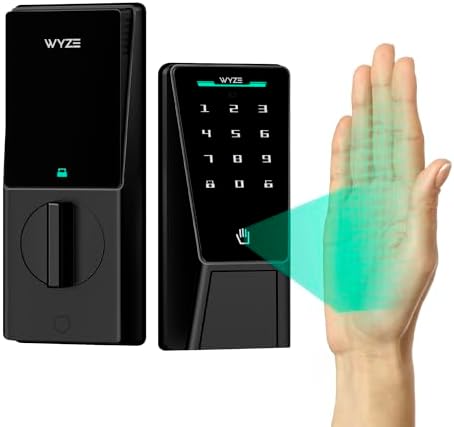
At just $130, the Wyze Palm Lock brings futuristic palm-vein recognition to the budget smart lock category—making it the most affordable way to unlock your door with a simple wave of your hand. Instead of fingerprints, it scans the unique vein patterns beneath your palm skin using low-power millimeter-wave radar, which activates only when you’re nearby to save battery. It also features a backlit keypad (up to 50 codes), a physical key backup, built-in Wi-Fi, and works with Alexa and Google Assistant. The dual-battery system includes a removable lithium-ion pack (up to 6 months) plus a 2-week backup battery, and there’s even a USB-C emergency power port if both die. It’s BHMA3 certified and IP53 weather-resistant, so it can handle rain, dust, and daily wear.pcworld+5
Best for: Budget buyers who want cutting-edge biometric access (palm vein) plus basic smart-home features without breaking the bank.
Pros:
- Palm-vein recognition (touchless, works with gloves)
- Dual-battery system + USB-C emergency power
- Built-in Wi-Fi—no hub needed
- BHMA3 certified + IP53 weather resistance
- Under $130
Cons:
- No HomeKit, Matter, or Z-Wave support
- Bulkier design than some competitors
- Limited to Alexa and Google Home ecosystems
Ideal use case: Perfect for tech-curious homeowners who want a futuristic, keyless entry experience on a tight budget—and don’t need Apple Home integration.
7. Best for Google Home Users: Nest x Yale

The Nest x Yale lock is the perfect match for Google Home ecosystems. It’s completely keyless (no keyhole to pick), supports Google Assistant voice control, and lets you schedule PINs for family members, cleaners, or guests. It also sends tamper alerts after 5 failed PIN attempts and tracks real-time activity via the Nest app. The downside? If you don’t have a Nest Secure system (now discontinued), you’ll need to buy a separate Nest Connect ($69) for Wi-Fi.
Best for: Google Home users who want a sleek, keyless design with strong app integration.
Pros:
- Totally keyless—unpickable
- Google Assistant voice control
- Tamper lockout after 5 failed PIN attempts
- Real-time activity tracking via Nest app
- Auto-lock reminders
Cons:
- Requires $69 Nest Connect for Wi-Fi (if no Nest Secure)
- Not compatible with non-Nest security systems
- No physical key backup
Ideal use case: Ideal for Google-centric smart homes where you want voice control, activity logs, and a clean, keyless front door.
How to Choose the Right Smart Lock for Your Home (Buying Guide)
Picking the right smart lock isn’t just about grabbing the highest-rated model—it’s about matching the lock to your door, your lifestyle, and your smart-home setup. Here are the six most important factors to consider before you buy.
1. Security Tier: ANSI/BHMA Grade 1 vs. Grade 2
Smart locks are rated by the American National Standards Institute (ANSI) or Builders Hardware Manufacturers Association (BHMA). Grade 1 is the highest residential rating—it means the lock can withstand 250,000+ cycles and up to 150 lbs of force, making it significantly more break-in resistant. Grade 2 locks are still secure for most homes but are tested to lower durability standards. If maximum security is your priority (especially for front doors), go Grade 1.
2. Ecosystem Fit: Apple, Google, Alexa, Matter, Z-Wave
Your lock should play nicely with your existing smart-home gear. Apple Home Key works only with select locks (Schlage Encode Plus, Level Lock+). Google Home users will love the Nest x Yale. Alexa is widely supported. For future-proofing, look for Matter-over-Thread or Z-Wave compatibility, which lets your lock work across multiple platforms like SmartThings, HomeKit, and more.
3. Installation Type: Retrofit vs. Full Replacement
Retrofit locks (like August) install over your existing deadbolt in minutes—perfect for renters or anyone who can’t modify their door. Full deadbolt replacements (like Schlage Encode Plus) offer better security and more features but require drilling and permanent installation.
4. Unlock Methods: Fingerprint, PIN, App, Voice, Key
- Fingerprint: Fast and keyless, but less reliable in rain or cold.
- PIN code: Great for guests, but codes can be shared or guessed.
- App/Bluetooth: Convenient, but depends on phone battery and connectivity.
- Voice: Handy for Google/Alexa users, but less secure.
- Physical key: Essential backup, but defeats the “keyless” appeal.
5. Battery Life: AA vs. CR123A
Locks powered by AA batteries typically last 6–12 months (Yale Assure Lock 2: 12 months). CR123A batteries (like in August) last 3–4 months. All modern locks send low-battery alerts, but it’s smart to keep spares on hand.
6. Backup Access: What If Wi-Fi or Battery Dies?
Always have a fallback. Look for locks with physical key overrides, 9V emergency power terminals, or offline keypad functionality so you’re never locked out.
Quick Checklist:
✅ Need max security? → Go Grade 1 (Schlage Encode Plus)
✅ Renter? → Choose retrofit (August)
✅ Apple user? → Look for Home Key support
✅ On a budget? → Wyze Lock Pro under $100
✅ Google Home? → Nest x Yale
✅ Want fingerprint? → Ultraloq or Wyze
AFFILIATE DISCLOSURE
As an Amazon Associate I earn from qualifying purchases. This article contains affiliate links.
Read our full disclosure.
Final Recommendation & Next Steps
If you want the best all-around smart door lock in 2026, the Schlage Encode Plus is our top pick—especially for homeowners who prioritize ANSI Grade 1 security and Apple users who love the convenience of tap-to-unlock with Home Key. But the “best” lock really depends on your situation: renters will love the August Wi-Fi Smart Lock (4th Gen) for its no-drill install, budget shoppers can’t go wrong with the Wyze Palm Lock under $100, and Google Home fans should check out the Nest x Yale for seamless voice control.
Before you buy, check current prices and availability on Amazon—deals and stock can change fast. And if you’ve already tried one of these locks (or have a question about which one fits your door), drop a comment below. We’d love to hear what’s working (or not) in your smart home!
FAQs About Smart Door Locks
Are smart locks safe from hacking?
Modern smart locks use strong encryption (like AES-128 or AES-256) and two-factor authentication, making them very hard to hack remotely. The bigger risk is usually physical tampering—which is why choosing an ANSI Grade 1 lock (like the Schlage Encode Plus) matters more than worrying about cyberattacks.
What happens if the battery dies?
Almost every smart lock sends low-battery alerts weeks in advance. But if it does die, most models still let you unlock with a physical key, a 9V emergency power terminal, or an offline keypad.
Can smart locks work without Wi-Fi?
Yes. Locks with keypads or Bluetooth (like August) work locally even when Wi-Fi is down. You’ll just lose remote access and notifications until you’re back online.
Do smart locks fit all doors?
Most fit standard residential doors (1⅜”–1¾” thick), but always check your door’s thickness, backset, and existing deadbolt size before buying. Retrofit locks like August are the most universal.
Are fingerprint locks reliable in rain or cold?
Newer sensors (like on the Wyze Lock Pro and Ultraloq U-Bolt Pro) are IP65-rated and work well in most weather—but wet or frozen fingers can still cause occasional misreads.
Do I need a hub or subscription?
Not anymore. Many 2026 locks (Schlage Encode Plus, August 4th Gen, Wyze Lock Pro) have built-in Wi-Fi and work with no hub or monthly fees.